You search for your own business on Google Maps. Nothing. No listing, no calls button, no directions link. Just your competitors where your profile used to be.
This is not a rankings drop. Your listing has been removed entirely. The calls that dried up this week are not a coincidence.
The good news is that Google Business Profile suspensions are almost always reversible. The businesses that get reinstated fastest are the ones that pause before they start clicking around in a panic. Understanding why it happened is the first step. Fixing the right thing is the second. This guide covers both, and how to make sure it does not happen again.
What "suspended" actually means for your listing
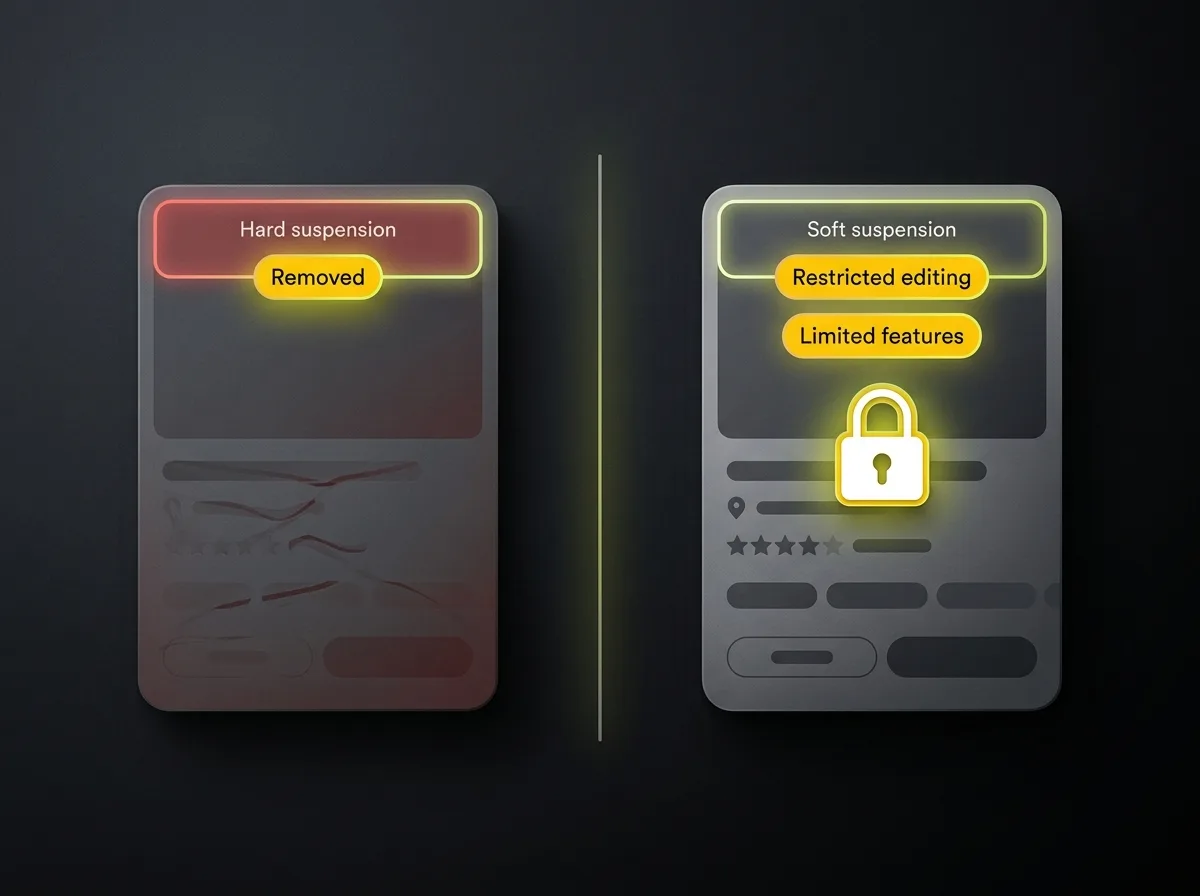
Not all GBP suspensions look the same. There are two types, and knowing which one you have changes what you should do next.
A hard suspension means your listing has been completely removed from Google Search and Google Maps. Customers searching your business name will not find a Google listing. Directions, calls, opening hours, and reviews are all gone. This is the more obvious of the two: the phone stops ringing and you notice immediately.
A soft suspension is harder to spot. Your listing stays visible to the public and customers can still find it and call you, but you lose the ability to manage it. You cannot update your hours, respond to reviews, add photos, or make any changes at all. If your details change while a soft suspension is in place, customers see stale information and there is nothing you can do until it is lifted.
Many business owners confuse a rankings drop with a suspension. They are different problems. To check, visit google.com/business and sign in. If you see a red banner or the word "suspended" next to your listing, that is your answer.
Suspensions can also be account-level, meaning the Google Account that manages your profile has been flagged rather than just the listing itself. Account-level suspensions affect every listing managed from that account and require a different resolution path. The Google Business Profile guidelines set out what constitutes a violation and are worth reading before you start the appeal process.
The 7 most common reasons Google suspends business profiles
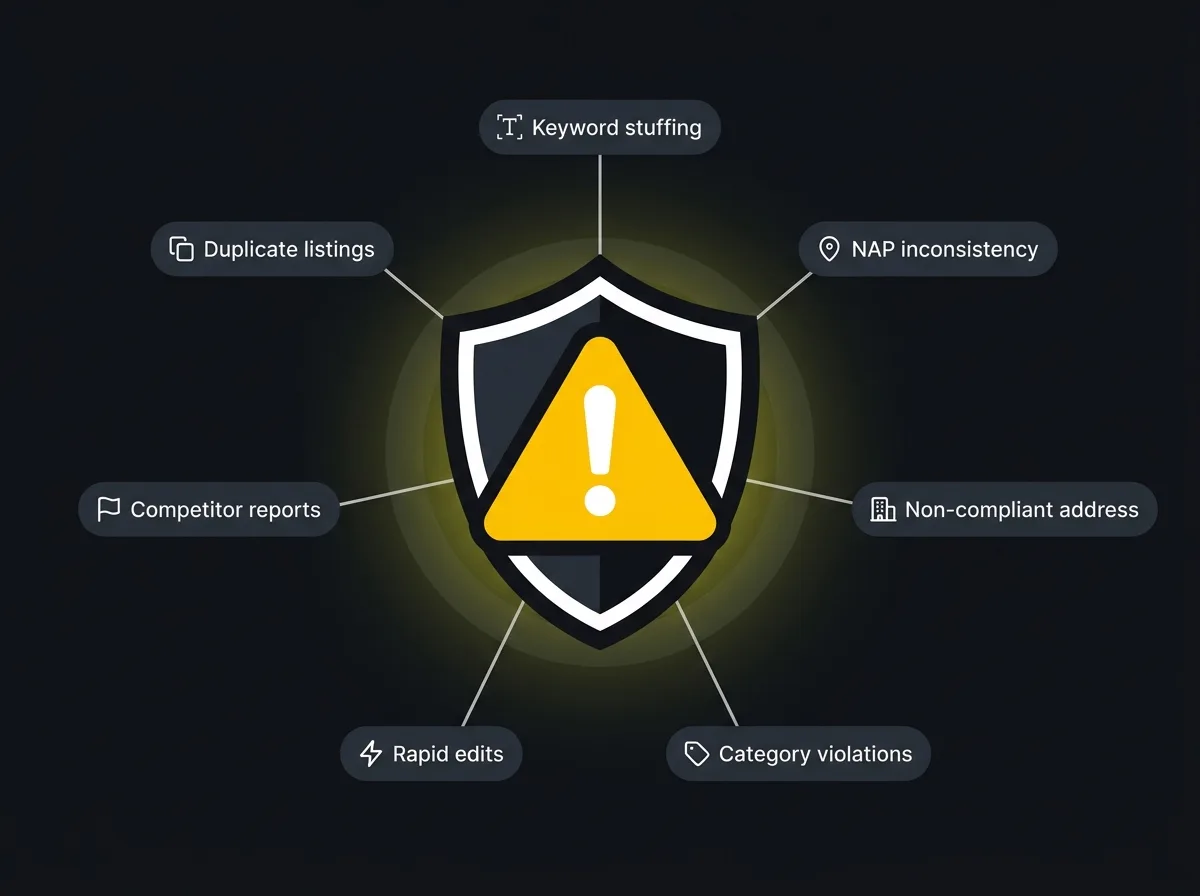
Before you appeal anything, you need to understand why the suspension happened. Appealing without fixing the underlying cause is the single most common reason first appeals fail. Work through this list and identify which one applies to you. Often it is obvious. Sometimes it is a combination of two or three.
- Keyword stuffing in the business name
Your Google Business Profile name must match your legal trading name exactly. Nothing else. The moment you add a location, a service description, or a tagline, you have violated the guidelines.
"Smith Plumbing Ltd" is compliant. "Smith Plumbing Ltd – Emergency Plumber Birmingham 24hr" is not. "Holistic Wellness Centre and Yoga Studio Sutton Coldfield" is not. Google cross-references your profile name against your Companies House registration, and any deviation is a red flag.
The fix is simple: edit the name field to match only your legal trading name, strip everything else, and leave it there. This is the most-triggered violation in 2026 and one of the easiest to miss if someone updated the profile without reading the guidelines first.
- NAP inconsistency
NAP stands for Name, Address, and Phone number. Google cross-references your profile against your website, your Companies House filing, and dozens of third-party directories. When these sources contradict each other, the listing looks unreliable.
The most common culprits: an old address still on Yell from when you moved premises, a slightly different business name on Bing Places because someone typed it differently when setting it up, or a landline on the website and a mobile on the profile. Each inconsistency looks minor in isolation. Together, they signal a profile that cannot be trusted.
The fix is a full NAP audit across every place your business appears online, aligning everything to one canonical version. This also happens to be one of the most important things you can do for local rankings, which we will come back to later.
- Non-compliant address
Virtual offices, P.O. boxes, and serviced co-working addresses are not permitted for most business types. Google's position is straightforward: the address on your profile should be a place where your business genuinely operates.
Home addresses are allowed in some cases but not all. A tradesperson who works from home and visits customers can legitimately use a residential address. A professional services firm where clients visit for appointments cannot use a home address if it would mislead customers about where the business is based. If your address is a virtual office shared with hundreds of other companies, this is very likely your suspension cause.
The fix is either to update to a legitimate address or to set the profile up correctly as a service-area business with no address shown publicly.
- Category violations
Your primary category tells Google what your business fundamentally is. Choosing one that is too broad, too specific, or simply wrong for your business is a violation. Stacking too many categories to appear in more searches is also a problem.
The fix: ensure your primary category precisely matches your main service, confirm every additional category genuinely applies to something your business offers, and remove any you added speculatively.
- Rapid or mass edits
A sudden flurry of edits triggers an algorithmic flag, particularly when multiple people have access and are making changes simultaneously. An agency refreshing a client's profile across a dozen fields in one session, an ex-employee who still has login access making changes, or a business owner updating everything at once after ignoring the profile for a year can all trigger this.
This one is preventable. Make one change at a time. If you need to update several fields, spread it over a few days. Audit your access list and remove anyone who no longer works with the business.
- Competitor or user-initiated reports
Any Google user can report a listing as spam, inaccurate, or non-existent. Including competitors. In competitive UK markets, trades are particularly targeted: plumbers, roofers, and electricians operating in the same postcodes as established competitors regularly find their profiles flagged. The same pattern appears in healthcare, legal, and property.
A well-maintained evidence file is the best defence. When a report lands, you can respond quickly with proof your business is real, operating, and compliant. The specific vulnerabilities tradespeople face in these competitive local markets are covered in more depth in the guide to local search visibility for tradesmen.
- Duplicate listings or account-level restriction
If Google finds more than one listing for the same business at the same address, it may suspend both while it investigates. Old listings from previous agencies, auto-generated listings from third-party data sources, or a second profile created because someone could not find the first one are all common culprits.
Account-level restrictions are a separate and more serious situation. If the Google Account managing your profile has been involved in a fake review scheme or a policy breach elsewhere in the Google ecosystem, the restriction can cascade to every listing that account manages. This requires a more involved resolution path and, in some cases, specialist help to untangle.
How to get reinstated: the step-by-step appeal process
Once you have identified the likely cause and fixed it, you are ready to appeal. Do not skip the fixing step. Google will not reinstate a profile where the original violation is still present.
Step 1: Stop editing
Before anything else, note what the profile currently shows. Stop making changes while you investigate. Every additional edit adds complexity and may trigger further flags.
Step 2: Diagnose and fix the underlying cause
Work through the seven reasons above and address the most likely one, or the most likely combination. Check your business name against your Companies House record. Check your address against your website footer. Check your categories against your actual services. If multiple users have access to the profile, review the list and remove anyone who should not still be there.
Step 3: Gather your evidence
This is where UK businesses have a real advantage over the generic reinstatement advice on most guides, which talk vaguely about "providing proof of your business" without specifying what that looks like here.
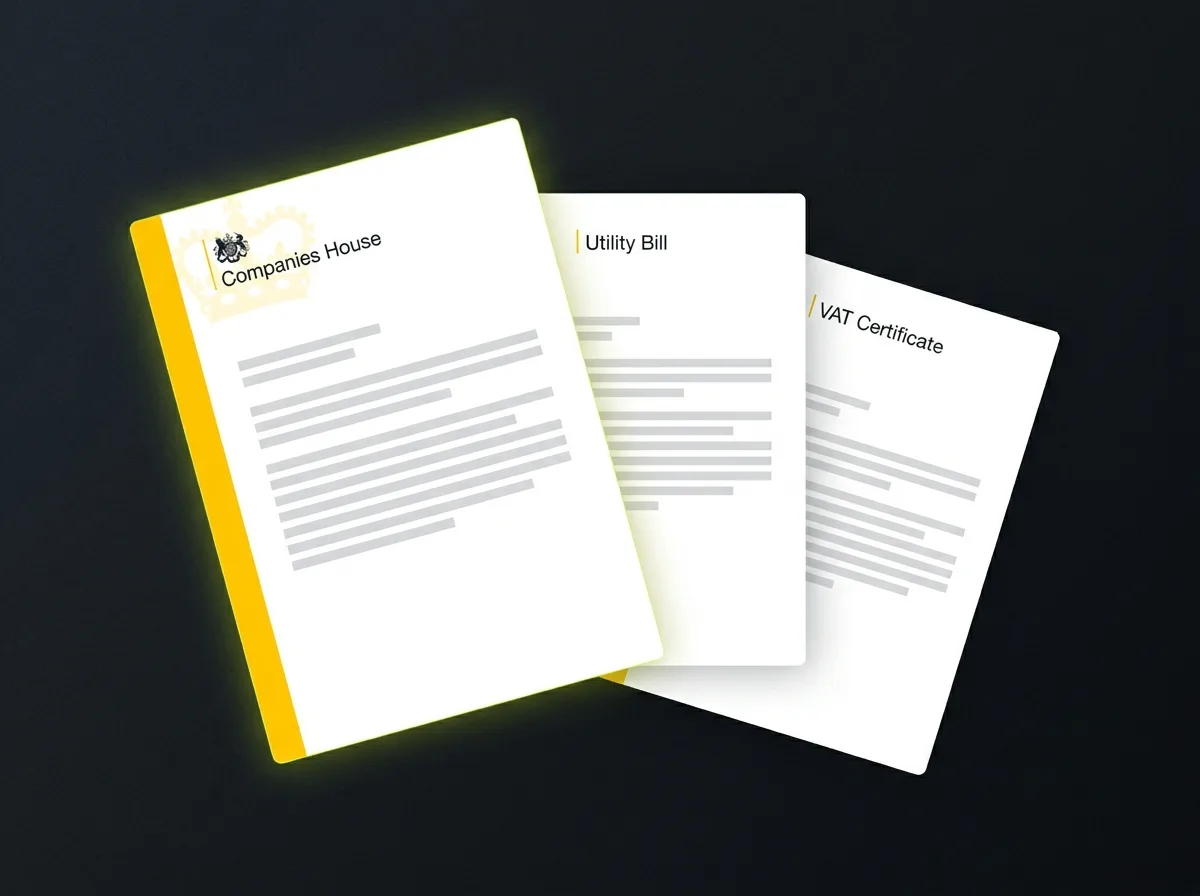
The UK evidence hierarchy works like this. A Companies House confirmation statement or certificate of incorporation is the strongest document available: it is official, government-verified, and matches your registered name and address exactly. A VAT registration certificate is also highly effective. Utility bills in the business name at the business address (electricity, gas, water, broadband) add useful supporting weight. If your sector is regulated, your registration or licence carries significant authority: CQC registration for healthcare practices, your SRA number for solicitors, a Gas Safe certificate for plumbing businesses, an NICEIC card for electricians, or an FCA authorisation reference for financial services. Photographs of your premises showing visible signage help round out the picture for retail and customer-facing businesses.
Have everything assembled before you open the appeal form. Once you start, Google gives you a limited window to upload documents and then the form closes. Opening it before you are ready wastes the window.
Step 4: Submit via Google's official reinstatement tool
Use Google's official reinstatement appeals tool directly. In your appeal statement, be specific: who you are, what your business does, where it operates, what you believe triggered the suspension, what you have corrected, and why the listing should be reinstated. Keep it factual and professional. Attach the strongest documents from Step 3.
Step 5: Wait, and keep leads coming in
Straightforward first appeals, where the violation has been fixed and strong evidence is provided, typically resolve within five to ten business days. Complex cases involving rejected first appeals or account-level restrictions can take three to six weeks.
Do not create a new listing while your appeal is under review. Google treats this as bad faith and it actively complicates reinstatement.
While you wait, there are a few practical things you can do. Update your email signature, social profiles, and any Google Ads extensions to push enquiries to your direct phone number and website contact form rather than the Maps listing. Ask satisfied customers to search your name directly and click through to your website rather than Maps. If you run paid search, consider adding a small branded campaign to capture people searching your business name while you are invisible in organic Maps results. None of these replace the listing. But they reduce the bleeding while the appeal runs.
What to do if your appeal is rejected
Rejection is not the end. First appeals succeed roughly 60-75% of the time when the violation has been genuinely fixed and the evidence is strong. Second appeals have a lower success rate, but they do succeed.
Read the rejection notice carefully. Google sometimes gives a specific reason; often it is vague. In either case, the most effective response is to gather stronger evidence rather than resubmit the same appeal again.
If your first appeal used a utility bill, add a Companies House confirmation statement for the second. If you submitted one photograph of your premises, add three or four showing the frontage, interior, and signage from different angles. If you are in a regulated sector and did not include your registration document the first time, include it now. The pattern is: more evidence, not more words.
There are also escalation paths beyond the standard appeals form. Google's local appeals contact form is a separate channel for cases that have already been through the main review process. The Google Business Profile community forum has Product Experts who sometimes escalate stubborn cases directly to Google's internal support team. Tagging @GoogleMyBiz on X has historically moved some stuck cases, though response is inconsistent and this should be treated as a last resort rather than a first move.
One scenario worth acknowledging honestly: account-level restrictions where the Google Account itself has a history of violations are genuinely hard to reverse through the standard process. If multiple listings from the same account have had fake reviews removed, or if the account has been flagged for policy breaches elsewhere in the Google ecosystem, the reinstatement path is significantly more complex. Specialist help may be the most efficient route in those situations, and setting up a clean Google Account for future profile management becomes a priority regardless of outcome.
How to prevent your profile from being suspended again
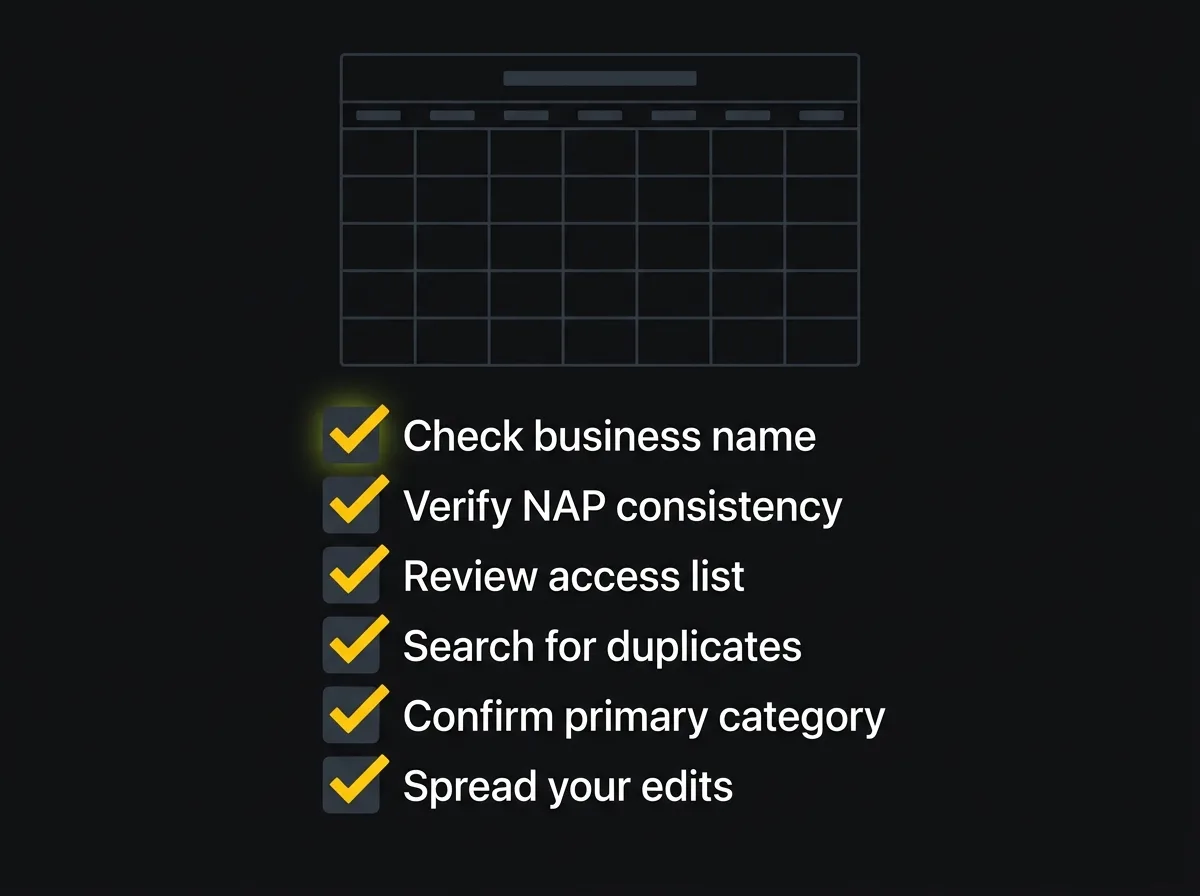
Most suspensions are not random events. They are the end result of a profile that was set up quickly and then left unmanaged. A consistent monthly maintenance habit removes the conditions that cause them.
Run through this list once a month:
-
Check your business name exactly matches your legal trading name. No additions, no location terms, no service descriptors.
-
Verify NAP consistency across your website, Google profile, Bing Places, Apple Maps, Yell, and any trade directories or Chamber of Commerce listings that carry your details.
-
Review your access list. Remove ex-employees, old agency logins, and any account you do not recognise.
-
Search for duplicate listings by typing your business name and address into Google Maps. If more than one appears, request a merge through the GBP dashboard before Google flags it first.
-
Confirm your primary category still accurately reflects your business. Categories can drift when businesses expand their services over time.
-
Make edits one at a time. If you need to update multiple fields, spread them across a few days.
Sector-specific risks are worth flagging separately. Trades face the highest rate of competitor reports in the UK, particularly plumbing, roofing, and electrical businesses competing for the same search queries in dense urban postcodes. Healthcare practices face category precision problems: Google's category list for medical businesses is tightly specified and a slightly wrong choice reads as a violation. Legal practices and estate agents frequently have address complications because the registered address and the address clients visit are not always the same.
For professional services firms navigating these exact problems, what professional services get wrong about local SEO covers NAP and citation hygiene in more depth. For solicitors specifically, the post on map pack visibility for professional services addresses the multi-branch and multi-practice complications that make suspension risk higher in legal and financial services.
It is also worth understanding a 2026 pattern that has caught a number of businesses off guard. Google has significantly increased its use of automated moderation over the past twelve months, and AI-driven systems are flagging profiles that would have passed without issue in previous years. Some businesses caught in the April and May 2026 suspension waves had done nothing wrong at all. The appeal process resolved most of these cases, but the episode made one thing very clear: a well-maintained profile with a strong evidence trail is far harder to flag automatically and far easier to reinstate when something does go wrong.
Why getting reinstated is only the start

Getting your profile back puts you where you were before the suspension. It does not fix the underlying conditions that made you vulnerable.
If the suspension was caused by NAP inconsistency, those mismatched citations across the web are still there, still confusing Google, and still quietly suppressing your local rankings even after the listing is restored. If it was caused by a competitor report, the listing's vulnerability to future reports has not changed. Getting reinstated solves the immediate crisis.
Reinstated does not mean protected.
The businesses that hold the top positions in local map pack results in competitive UK markets share a few things in common. Their NAP is consistent across 40 or more UK citation sources. They respond to reviews regularly, because Google scores engagement as a ranking signal. They add photos consistently, not in a single burst after a suspension scare. Their website matches the profile exactly: same business name, same phone number, same address format. Their categories and service information are actively maintained as the business evolves, not left to drift.
A profile that came back from suspension and went straight back to being unmanaged will face the same risks again within months. That is not bad luck. That is a maintenance problem that was never addressed.
A proper local SEO foundation is what turns a reinstated profile into a stable, high-performing one that generates enquiries consistently and does not disappear every time Google runs a stricter moderation pass. Getting reinstated is the first step. The foundation is the longer game. It is also the more valuable one.
Frequently asked questions about Google Business Profile suspension
How long does it take to resolve a Google Business Profile suspension?
Straightforward first appeals, where the violation has been fixed and strong evidence is provided, typically resolve within five to ten business days. Complex cases involving rejected first appeals, account-level restrictions, or missing documentation can take three to six weeks. Do not create a new listing while you wait; Google treats this as bad faith and it actively complicates the reinstatement process.
Can a competitor get my Google Business Profile suspended?
Yes. Any Google user can report a listing as spam, inaccurate, or non-existent, and that includes competitors. In competitive UK markets, particularly for trades, healthcare, legal, and property businesses, malicious competitor reporting is a documented and increasing problem. The best defence is a well-maintained evidence file: when a report triggers a review, you can respond quickly with proof your business is real, operational, and fully compliant with Google's guidelines.
What documents do I need to appeal a suspended Google Business Profile in the UK?
The strongest document available to a UK business is a Companies House confirmation statement or certificate of incorporation: official, government-verified, and matching your registered name and address exactly. A VAT registration certificate is also highly effective. Supporting evidence includes utility bills in the business name at the business address (electricity, gas, water, broadband), sector-specific registrations such as a CQC certificate, SRA number, Gas Safe certificate, NICEIC card, or FCA authorisation reference, and photographs of your premises showing visible signage. Have everything ready before you open the appeals form; the upload window is limited once you start.
What happens if my Google Business Profile appeal is rejected?
A rejection is not permanent. Gather stronger evidence, address any specific reasons given in the rejection notice, and submit a second appeal via the main appeals tool. If that also fails, escalate through the Google Business Profile community forum, where Product Experts sometimes refer stubborn cases to Google's internal support team. For account-level restrictions involving a history of violations on the account itself, specialist help may be the most efficient path forward rather than continuing through the standard appeals route.
Will a suspension permanently damage my Google Maps ranking?
Research by local SEO specialists suggests it does not, provided the suspension is resolved promptly. Profiles typically return to roughly their pre-suspension position once reinstated. The real ranking cost is the suspension period itself, during which you are invisible to every local search. Some of those lost customers will have found a competitor and may not return. Speed of reinstatement matters far more than any long-term ranking impact, which is why pausing to diagnose correctly before appealing, rather than submitting a hasty first attempt, is worth the extra day or two.
Free resource: Traffic Projection Report
If your profile is back up and you want to understand what your local search presence could realistically achieve with the right foundation in place, the Traffic Projection Report shows you exactly that. We model what your traffic could look like once the profile, citations, and on-site basics are properly aligned. It takes about a week and it is completely free.