Most articles about what makes a good website are really about what makes a website look nice. Colour palettes. White space. Hero image resolution. You read them, nod politely, and walk away none the wiser about why your enquiry rate is still flat.
A good website doesn't win design awards. It earns the business it was built to earn.
What makes a good website? A good website does one thing well: it turns the right visitor into a lead, a sale, or a customer. That means clear messaging above the fold, an obvious call to action, fast load times, mobile-first design, genuine trust signals, findability in both Google and AI search, and copy written for the buyer rather than the founder. Looks matter less than most lists will tell you.
Every point below is judged by one criterion: does it produce enquiries. If it doesn't, it doesn't belong on the list.
1. It does the job it was built for
A "good" website is good for the business that owns it. That sounds obvious until you look at how many sites are built around what the business wants to say rather than what the visitor needs to hear.
A B2B consultancy and an independent tradesperson need very different things. The consultancy needs to establish credibility with a sophisticated buyer who's already comparing three firms. The tradesperson needs a visible phone number before the fold and a gallery of finished jobs. Neither is better or worse. What matters is fit.
Before any design decision, answer this: who lands on this site, what do they need to find, and what do you need them to do? If the site can't answer all three, it isn't good yet, whatever it looks like. Everything else on this list flows from here.
2. The message above the fold is clear in five seconds
If a stranger can't tell what your business does within five seconds of landing on your homepage, the website is failing the most basic test of being good.
This is the five-second test. It's blunt, it's old, and it's still the most revealing thing you can do with a site. Cover the logo. Hand the URL to someone who's never heard of the business. Ask them what the company does, who it's for, and what they'd do next. Their confusion is your conversion problem.
The common failure mode here is design thinking. Hero sliders look impressive in a pitch deck and destroy comprehension in practice. Abstract taglines ("Transforming businesses through digital excellence") say everything and communicate nothing. The most common homepage mistake: treating the hero section as a brand moment rather than an answer to the question every visitor is silently asking. What is this? Is it for me? What do I do now?
A good website answers those three questions above the scroll. Every time.
3. The primary call to action is obvious and earns its place
The call to action is where clarity becomes conversion. Most sites bury it.
One button. One ask. One clear next step. Not six navigation options, not a newsletter sign-up competing with a contact form competing with a phone number competing with a social media strip. Visitors don't deliberate between options when the correct next step is obvious. They leave when it isn't.
The wording matters too. "Get in touch" is weak. It asks the visitor to imagine themselves making a decision. "Book a 15-minute call" or "Tell us about your project" makes the next step concrete and tells the visitor exactly what they're committing to. Small copy change, measurable result.
If you want web design that's built to convert, this is where most of the real work happens. Not on font choices.
4. It loads fast and meets Core Web Vitals
Speed is not a technical detail. It's the front door.
According to Google's own Core Web Vitals guidance, 53% of mobile visitors will leave a page that takes more than three seconds to load. They're gone before they've read your headline, seen your offer, or had any chance to convert. Every second of delay costs you a measurable slice of your audience.
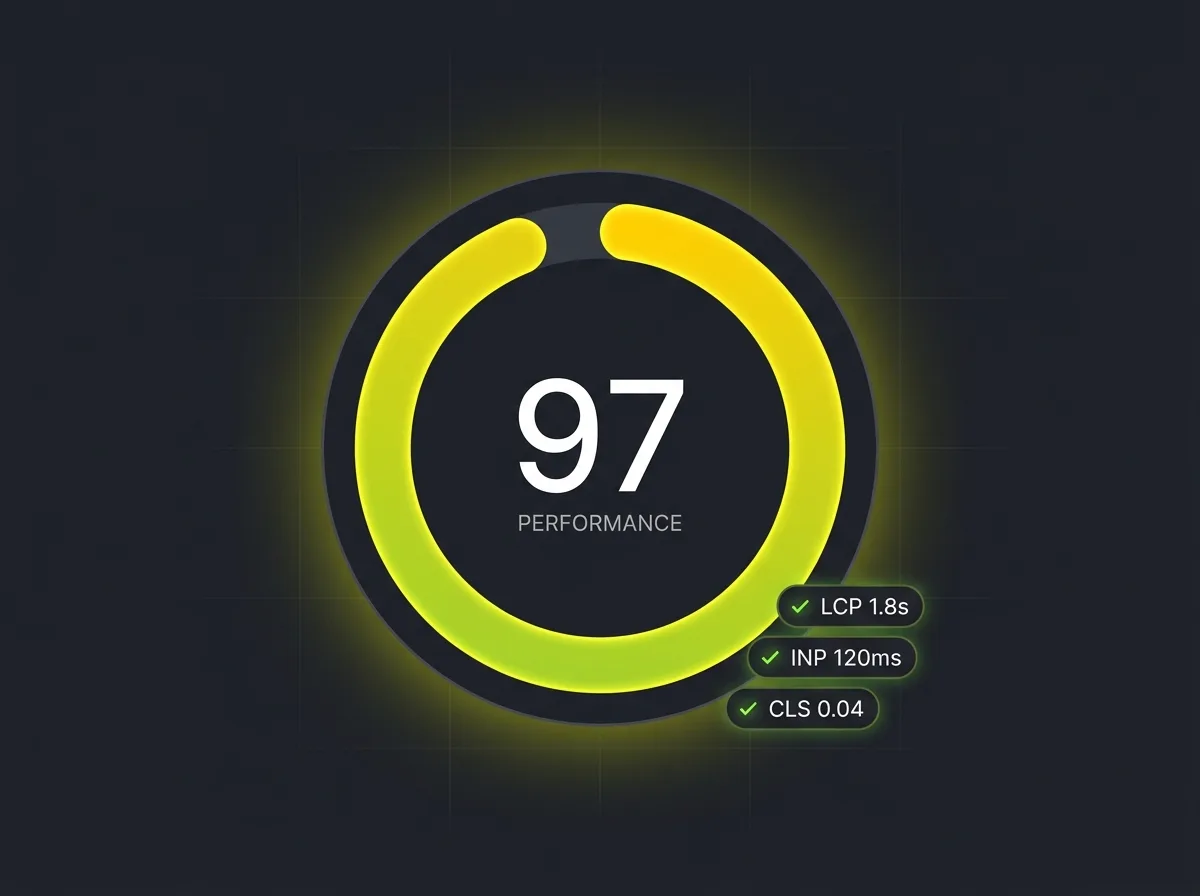
Core Web Vitals are Google's way of measuring load experience in terms that matter to real users. Largest Contentful Paint (LCP) measures how quickly the main content appears. Interaction to Next Paint (INP) measures how fast the page responds when someone clicks something. Cumulative Layout Shift (CLS) measures whether the page jumps around as it loads, which is the thing that makes you accidentally tap the wrong button on a phone. Google publishes thresholds for each: LCP under 2.5 seconds, INP under 200 milliseconds, CLS under 0.1.
Run your site through Google's Lighthouse or PageSpeed Insights. It's free, it takes two minutes, and it will tell you something the person who built the site probably hasn't mentioned. If the score is below 70 on mobile, you have a visible, conversion-affecting problem worth fixing before anything else.
5. It works properly on a phone (and was designed that way)
Mobile-first is not a trend. It's the reality of how your visitors arrive.
According to StatCounter's UK data, more than half of UK web page views now come from mobile devices. That figure has been above 50% for years and is still rising. If your site was designed primarily for desktop, you are designing for the minority of your visitors.
Mobile-first doesn't mean shrinking a desktop layout. It means starting with the smallest screen and building outward, so that every tap target is sized for a finger, every phone number is tappable with one press, and every form is completable without pinching and zooming.
The practical tests are simple: can a visitor call you with one tap from their phone? Can they fill in your contact form without wrestling with the keyboard? Does the navigation collapse cleanly, or does it eat half the screen? These aren't design niceties. They're the difference between an enquiry and a bounce.
6. The navigation makes sense in three clicks
Whatever a visitor came to find, they should be able to find it in three clicks without having to think hard about it.
Most navigation fails because it's structured around how the business thinks about itself rather than how a visitor thinks about their problem. A services menu that says "Solutions", "Capabilities", and "Offerings" makes perfect sense to the team that named it. It makes no sense to the business owner who just landed from Google.
Plain language, clear hierarchy, and an honest sense of what visitors actually come to find. If you have access to GA4, the behaviour flow report will show you exactly where people go, where they drop off, and which sections they never visit. The data is almost always more instructive than any navigation meeting.
Keep the main menu short. If everything is highlighted, nothing is.
7. Trust signals are doing real work, not decorative work
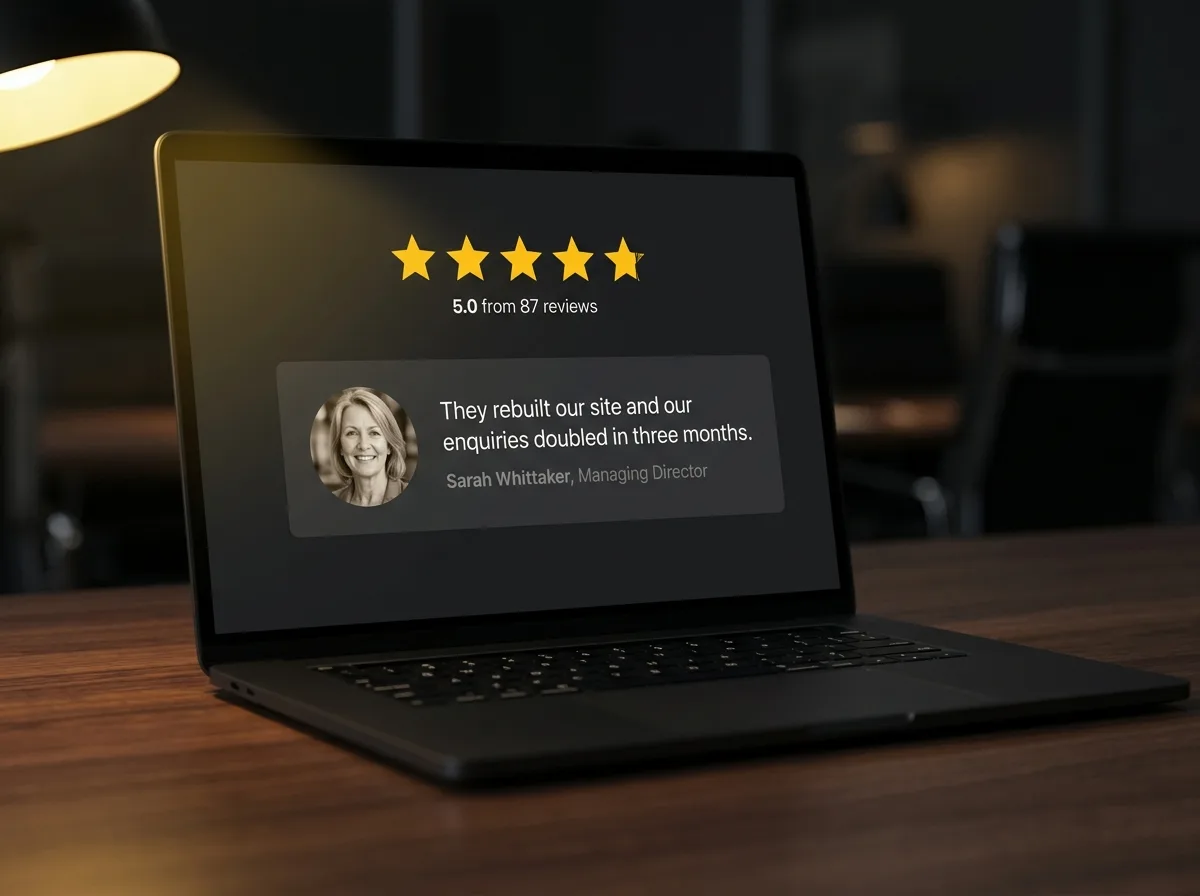
Trust signals are the things on a website that answer the question every visitor is quietly asking: can I trust these people?
Done properly, they convert. Done badly, they actively harm. An anonymous quote that says "Great service" makes a website worse, not better. It reads like the business made it up, even if they didn't.
What works: named Google reviews with a visible star rating, linked to an actual Google Business Profile so visitors can check. Real case studies with a named client, a specific problem, and a measurable outcome. Photographs of actual people who work there, not stock photography of a suspiciously diverse team no one believes is real. Industry accreditations where they're specific and verifiable. Named clients, where you have permission to use them.
BrightLocal's annual consumer review survey consistently finds that the vast majority of consumers trust online reviews as much as a personal recommendation from a friend or colleague. The review widget in the footer that links to nothing isn't meeting that bar. A live Google reviews badge that links to your real profile probably is.
Trust signals aren't decoration. They're the last argument before a visitor decides whether to contact you.
8. It's findable in Google
A technically excellent, beautifully clear website that nobody can find is still a bad website.
You don't need to win an SEO award. You need to clear a bar: the site should appear in Google when someone who'd genuinely benefit from your services searches for what you do. That means technically sound pages (no broken links, no pages accidentally blocked from indexing, structured data where it's helpful), enough content depth to show you know your subject, and a site that isn't so slow or mobile-unfriendly that Google won't rank it regardless of the content quality.
For most small-to-mid businesses, good search visibility and traffic comes down to three things: making sure Google can crawl and index the site correctly, having dedicated service pages that target the terms your prospects actually search for, and not doing anything obviously counterproductive, like burying your core services in JavaScript that search engines can't read. The website is the foundation. Everything else builds on top of it.
9. It's findable in AI search (the bit nobody else mentions)
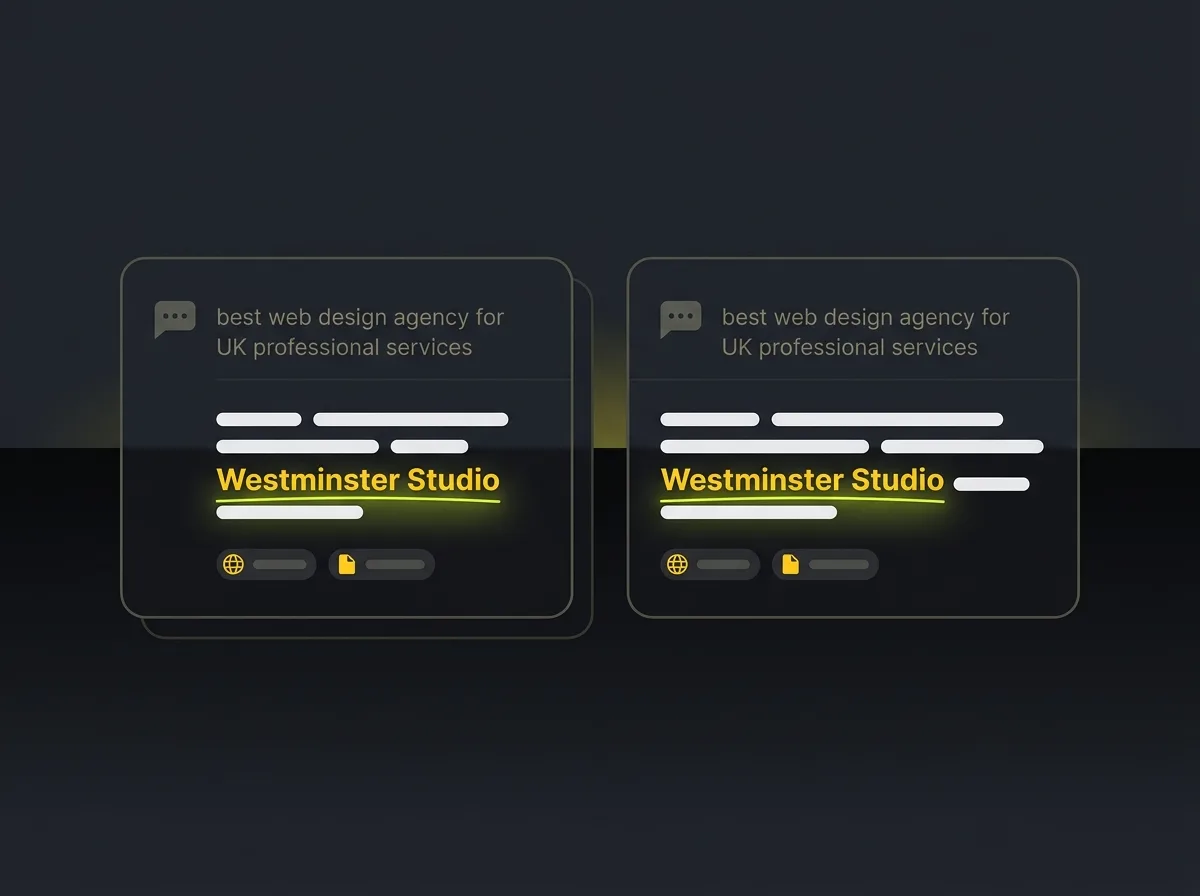
A good website in 2026 is found in AI search, not just Google search.
ChatGPT, Perplexity, and Claude now drive a meaningful share of B2B enquiries. Someone looking for a web design agency, a specialist consultant, or a professional services firm is as likely to ask an AI tool for a recommendation as they are to type a query into Google. The website that doesn't appear in AI recommendations is invisible to that person entirely.
What makes a website AI-visible is not fundamentally different from what makes it Google-visible. Clear, well-structured content that answers specific questions. Named entities: your location, your sector, your services, your credentials. Proper structured data that tells machines what you are and what you do. But there is one additional factor: can the AI quote you? AI tools cite content they can lift in a sentence or two. If your website is written in vague marketing language, it's harder to quote than a page that says clearly: "We design WordPress websites for UK professional services firms, typically delivered in eight to twelve weeks."
If you want to show up in AI search, the starting point is almost always the website itself. And it's worth knowing that AI traffic converts at significantly higher rates than standard organic Google traffic, because visitors arrive already pre-sold on the idea that you're worth contacting.
10. The lead capture asks for the right amount of information
Every field you add to a contact form costs you a percentage of the people who would otherwise fill it in.
That's not an argument for stripping forms down to a single field. It's an argument for thinking honestly about what you actually need from someone before you can help them. If you're selling a service where the next step is always a phone call, name and phone number might be the whole form. If you're a consulting firm where different types of enquiry go to different people, asking for a brief project description is justified. It qualifies leads and routes them correctly.
The question to ask is this: what is the minimum information you need to take a useful next step with this person? That's your form. Not what would be nice to have. The minimum to be genuinely useful.
Two-step forms, where the first step is a low-commitment ask (email only) and the second asks for more detail, can improve conversion where the initial ask feels like too much. Worth testing before assuming the single long form is the only option.
Free resource: Traffic Projection Report
Want to know what your website could realistically attract in organic traffic if it were properly built and indexed? The Traffic Projection Report maps the gap between where your site is now and what it could be pulling in, based on your sector and what your competitors are doing. It's the most useful starting point before committing to a rebuild or redesign conversation.
11. The copy is written for the buyer, not for the founder
This is the most common failure mode in professionally designed websites. The site looks impeccable, the photography is expensive, and every page reads like the founder wrote it for other founders.
Buyers don't care what you care about. They care about their problem. The fastest way to test this: read your homepage copy and count how many times the word "we" appears versus "you". A homepage that opens with "We are a team of passionate specialists dedicated to delivering outstanding results" is talking to itself. A homepage that opens with "You're losing enquiries because your website doesn't explain what you do clearly enough" is talking to a buyer.
The so-what test works on every sentence. "We have over 15 years of experience." So what? "We have been building websites long enough to know which client decisions cost the most money, and we'll flag them before you make them." Now the experience means something.
Short sentences help. So does specificity. "We work with UK professional services firms" is more useful than "We work with businesses of all sizes across multiple sectors." Specificity signals confidence. Vagueness signals the opposite.
12. It's accessible to the people who land on it
If 15% of your visitors can't use your contact form, your contact form is broken.
Around one in five adults in the UK has some form of disability. Some are temporary, a broken arm, a screen glare situation on a sunny day in the car. Some are permanent. The Equality Act 2010 creates a legal obligation for businesses to make reasonable adjustments to ensure services are accessible. For websites serving UK consumers, ignoring accessibility is both a commercial and a legal risk.
The practical basics are not complex: sufficient colour contrast so text is readable for people with low vision. Descriptive alt text on images so screen readers can describe them. Keyboard navigation that works without a mouse. Form labels properly associated with their fields. These are standard in a well-built site and frequently skipped in cheaply built ones. Ask whoever built your site to run a WCAG 2.1 AA check and send you the results. The silence that follows will tell you something.
13. Someone is actually looking at the analytics
A website with no analytics tracking is a business making decisions in the dark.
GA4 and Google Search Console are both free, both essential, and both frequently set up incorrectly or ignored entirely after setup. GA4 tells you who visits, where they came from, what they did, and where they left. Search Console tells you what search queries brought them there and which pages Google considers worth ranking. Together, they're the only honest answer to whether the website is working.
The most common situation: GA4 was installed in 2022, it was configured by whoever built the site, nobody has looked at it since, and two or three things that should be tracked as conversions never were. The data exists. It's just wrong.
Set it up correctly. Review it once a month. If you don't know what to look for, make analytics setup part of the brief when you commission web design that's built to convert. A website you can't measure is a website you can't improve.
A short answer to the questions people ask next
What are the qualities of a good website?
A good website is clear, fast, mobile-first, trustworthy, and findable. More specifically, it communicates what the business does to the right visitor, gives them an obvious next step, loads quickly on any device, earns trust through real evidence rather than generic claims, and appears in the places people actually search, including AI tools. Quality in web design is judged by whether the site earns enquiries, not by how it looks in a screenshot.
What are the 7 C's of a website?
The 7 C's framework (Context, Content, Community, Customisation, Communication, Connection, Commerce) was developed in academic marketing literature and is common in course materials. It's a reasonable mental model for thinking about what a website needs to do at a broad level. In practice, it doesn't map cleanly to the specific decisions that affect whether a site converts or not. If you're evaluating a rebuild or redesign, the 13 points in this article will serve you better as a working checklist.
How much should a website cost in the UK?
A credible professional website for a small-to-mid business in the UK typically costs between £3,000 and £15,000 for design and build, with ongoing hosting and maintenance running £50 to £200 a month. Bespoke builds for more complex businesses or e-commerce can cost more. Template-based builds can come in below that range, though often at the cost of some of the conversion fundamentals covered in this article. The total cost of a website that doesn't convert is always higher than the cost of building it properly in the first place.
What's the difference between a good-looking website and a good website?
A good-looking website wins design awards and earns compliments in client meetings. A good website earns enquiries. The two sometimes overlap, but far less often than agencies would have you believe. A visually unremarkable website can comfortably outperform a beautiful competitor site by being faster, clearer, and more trusted. Most of what separates converting sites from non-converting ones is completely invisible to the casual eye.
Where to take this next
If you've read through the list and recognised your own website in more than two or three of these points, it's probably not earning what it could.
The most useful starting point isn't a redesign conversation. It's understanding what your site could realistically attract in traffic and where it's currently falling short. The Traffic Projection Report maps that gap: what you're currently attracting, what businesses in your sector are pulling in, and what a properly built site could be doing for your enquiry rate. It's free and it gives you an honest baseline before you spend anything on a rebuild.
If you're already past that stage and want to talk about what web design that's built to convert looks like for your business specifically, we're easy to reach.
A good website isn't the prettiest site in the room. It's the one that earns the business it was built to earn.